ILLiad Borrowing - removing the patron name from the OCLC workform before sending

I've seen a few questions lately about how to remove the patron name from the OCLC Borrowing request when sending from ILLiad. It is so easy and configurable per site even on a shared server. Here are the steps:
- Close the ILLiad client
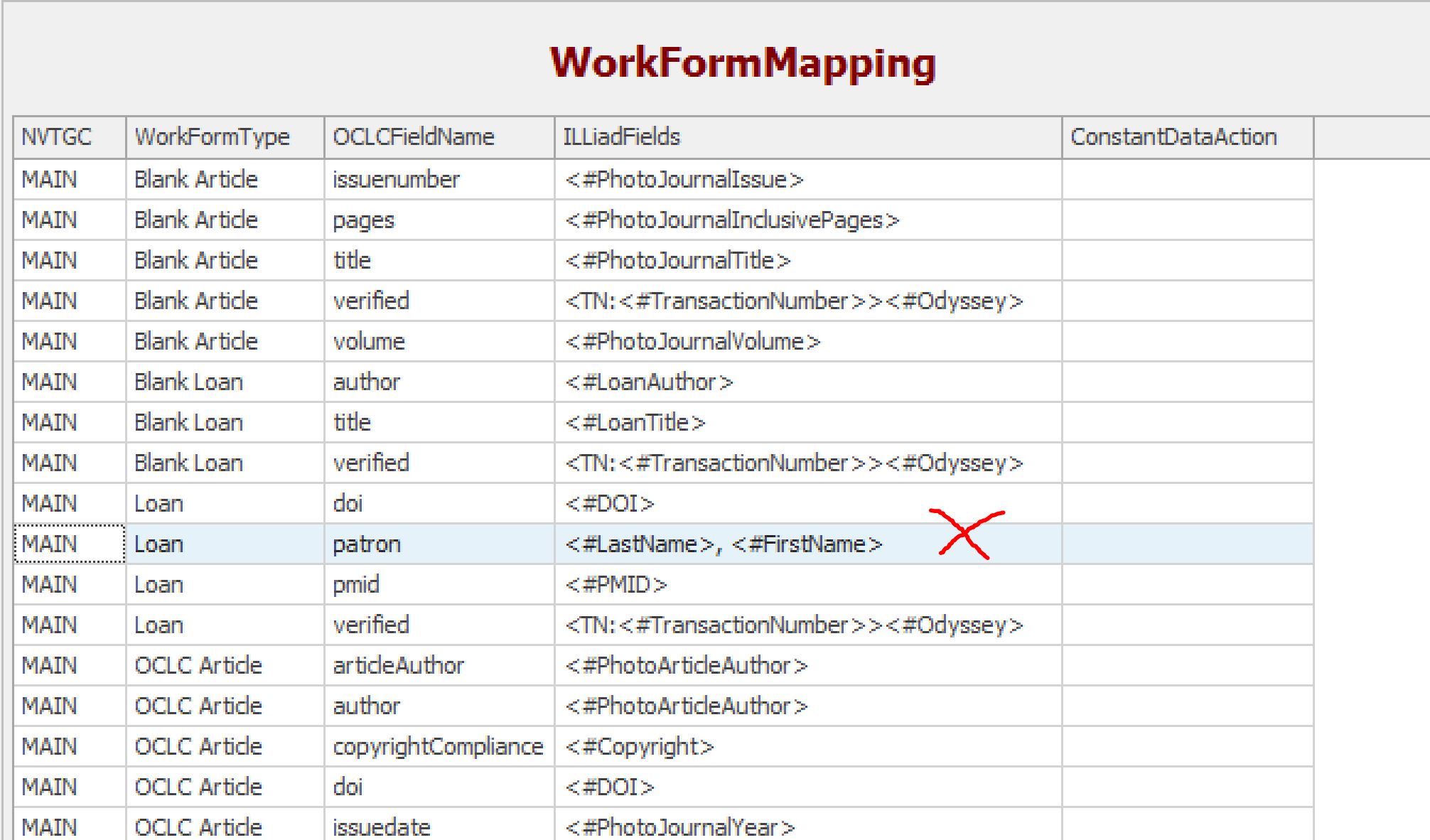
- Open Customization Manager and navigate to System | OCLC | WorkFormMapping
- Find the entry for your site code that says WorkFormType "Loan" and OCLCFieldName "patron" and delete it using the Delete button on Customization Manager toolbar at top of screen
- Repeat for WorkFormType "Article"
- Launch ILLiad and create an OCLC request to verify that the patron name no longer shows in the Patron Name Field for Loans (and Articles)
- You only have to do this once
Comments
Please sign in to leave a comment.