Wait, how many people are in this class?

What's the deal with the Estimated Enrollment and Registered Users fields in the course record? Which one shows the total number of students in the course? Well, it depends.
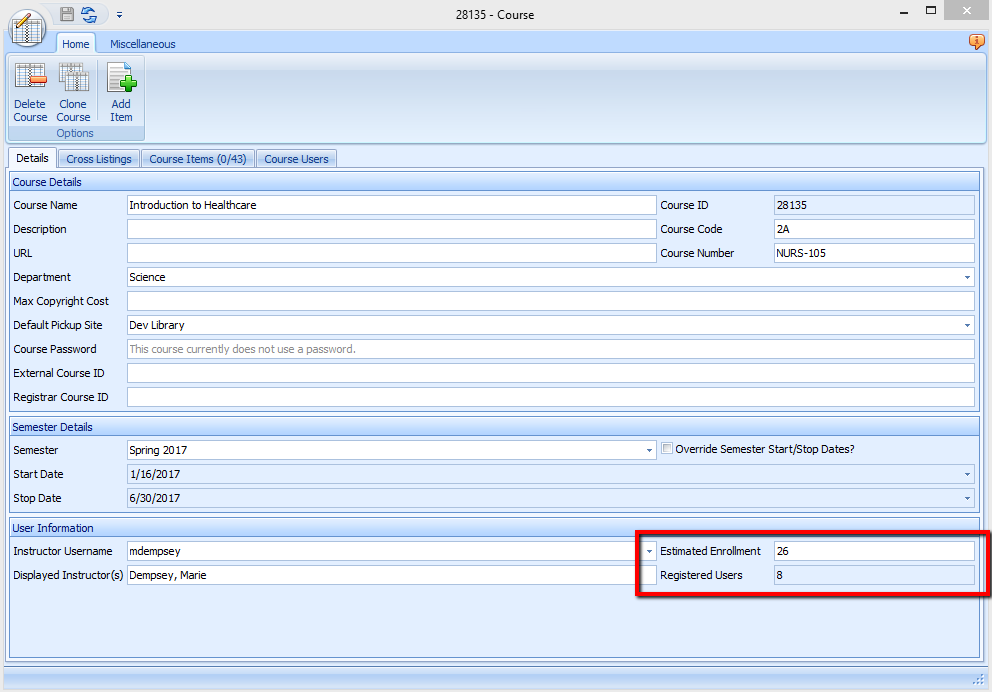
We'll start with the Registered Users field first. This field can only be populated by Ares. It automatically counts the number of students that are listed in the "Enrolled Students" tab in the "Course Users" area of a course record.
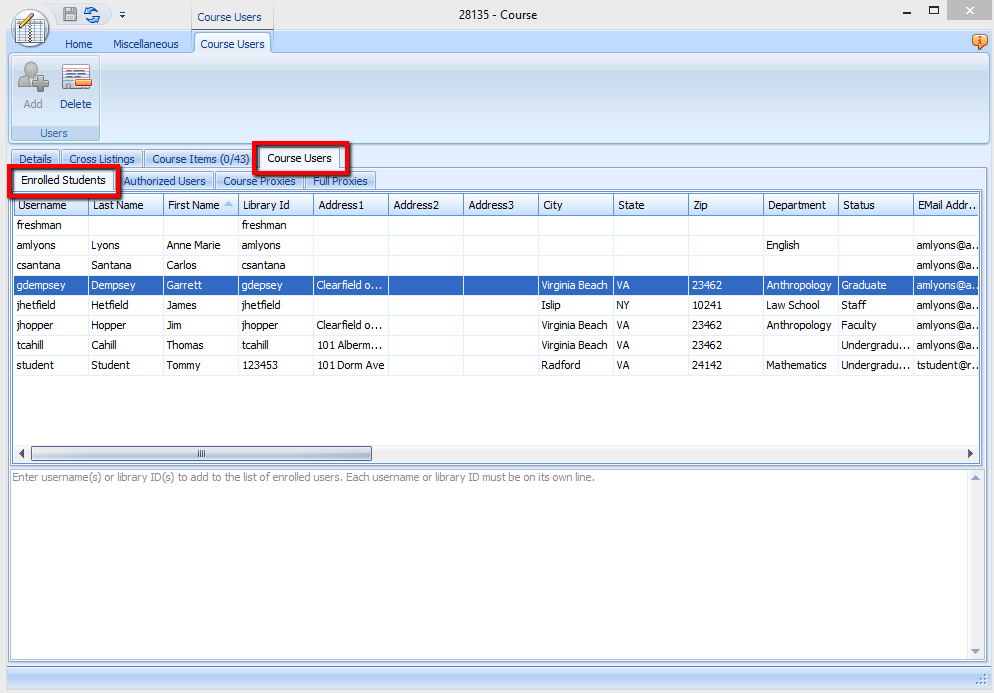
How do students even get listed in the "Enrolled Students" tab? There are a few ways:
1. If you are using Ares as a stand-alone system, then the student will appear in that tab if they self-enrolled in the course. (Courses can be password-protected.) Reserves staff can also manually add students to the "Enrolled Students" tab on the client side.
2. If you using Ares with a learning management system (LMS), such as Blackboard or Canvas, the student will appear in that tab when they click into Ares from the LMS course. (Note that if students drop the course after clicking through to Ares, they will not be automatically dropped from the course in Ares. Reserves staff can manually remove them, or you can use course and user data imports to automatically update the enrollment.)
3. If you are importing course and user data into Ares with the creation functionality turned on, then the applicable students will automatically appear in this tab. That means that the Registered Users field will always reflect the total count of the course, regardless of whether the students have accessed the course yet. If you are using the validation functionality, the students will appear in this tab after they have accessed their course in Ares. The course and user imports will always update the course records with the correct enrollment.
So what about the Estimated Enrollment field? This field can be used to reflect the expected total enrollment of the course when using Options 1 and 2 above, and the validation functionality in Option 3. This way, the correct total can be reflected in the course record without having to wait for the students to access the course in Ares. This field can be populated manually by reserves staff, or automatically by the course and user data imports. This is the one field in an existing course record that will automatically update with any changes from the course and data imports.
The Registered Users and Estimated Enrollment fields are especially important if you using Ares for Copyright Clearance Center (CCC) requests, because the student enrollment count is part of the information that is sent with a CCC request.
For CCC requests, there is a key called "CopyrightCourseStudents" in the customization manager where you can tell Ares which field (Registered Users or Estimated Enrollment) to send to the CCC.
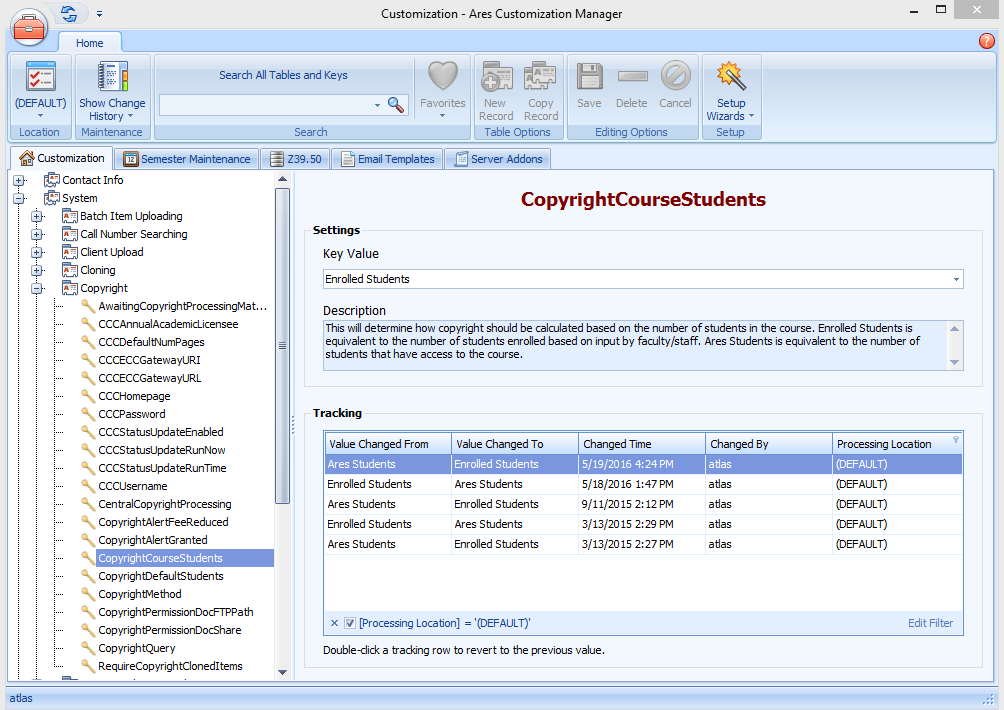
The Ares Students option will use the number from the Registered Users field in the course record.
The Enrolled Students option will use the number from the Estimated Enrollment field. If you choose this option, then you should also fill in the "CopyrightDefaultStudents" key with a number that reflects the average enrollment in a typical course. This number will be used for copyright purposes in case the Estimated Enrollment field is accidentally left blank in a course record.
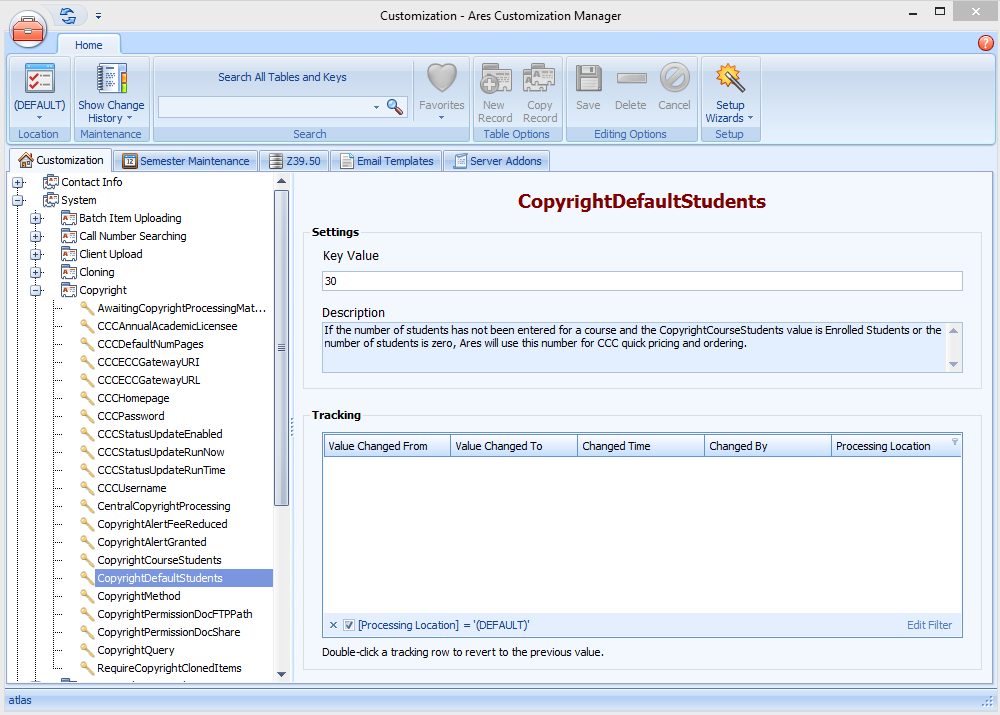
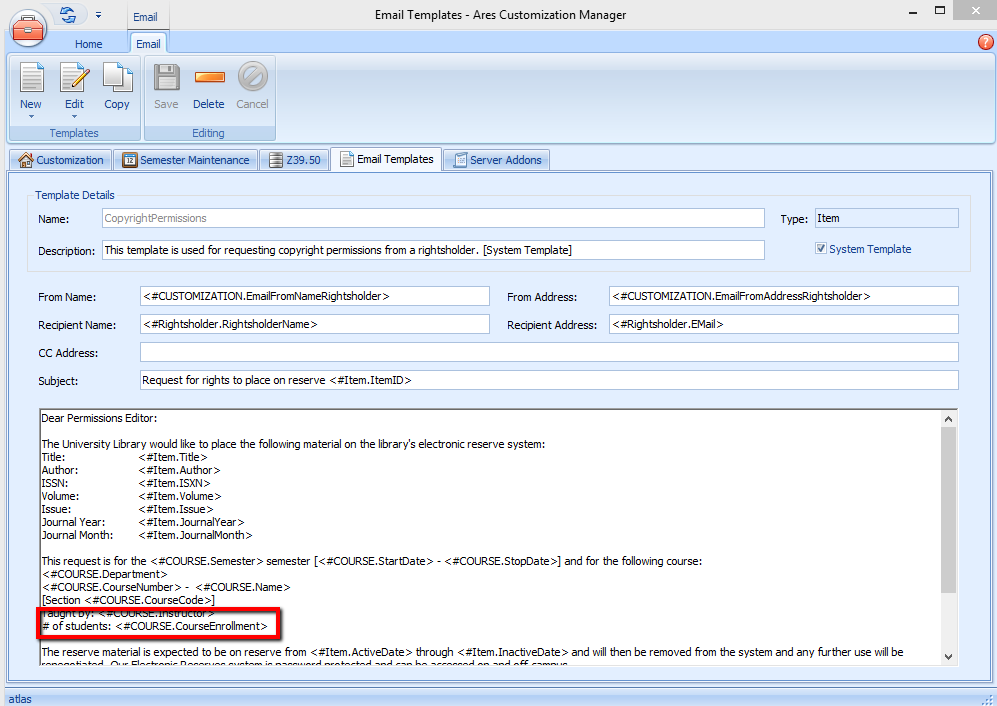
For alternate rightsholder requests, there is only one merge field option in the CopyrightPermissions email template in the customization manager:
The merged email will always use the value from the Estimated Enrollment field in the course record:
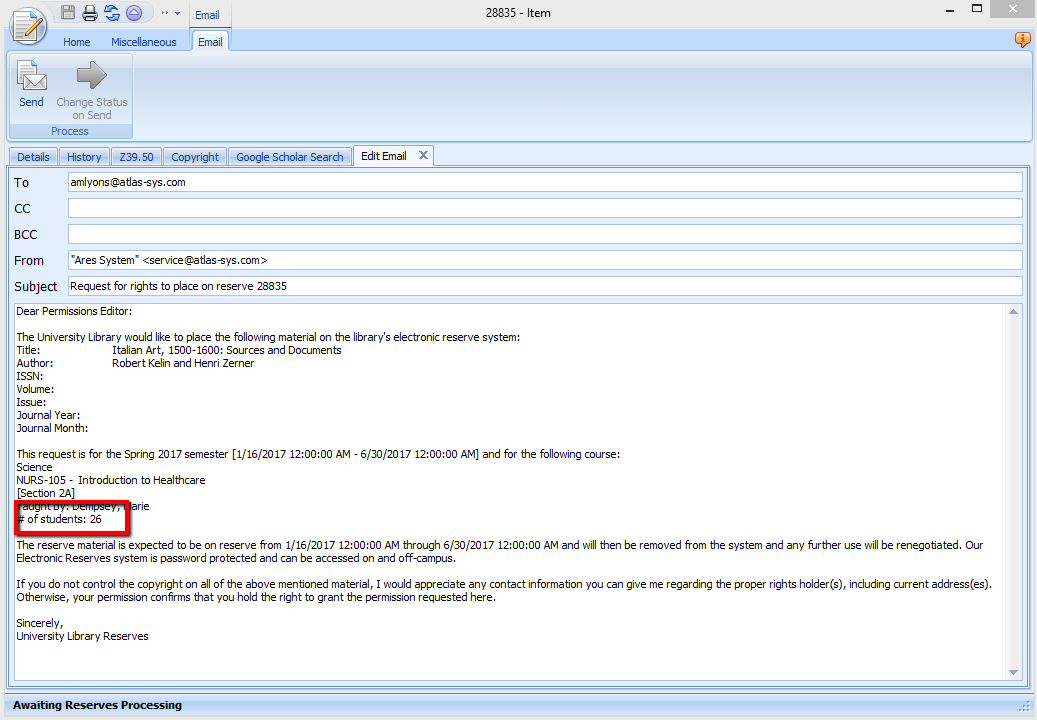
But reserves staff can always manually change the value in the email before sending the email to the rightsholder.
Comments
Please sign in to leave a comment.